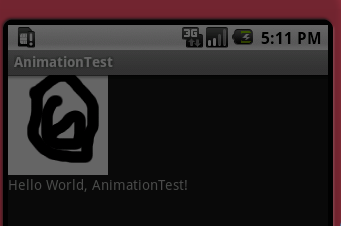
Graphics Android
CS185c
Chris Pollett
Nov. 1, 2010
CS185c
Chris Pollett
Nov. 1, 2010
package org.pollett;

import android.app.Activity;
import android.content.Context;
import android.os.Bundle;
import android.view.View;
import android.graphics.*;
import android.graphics.drawable.ShapeDrawable;

public class GraphicsTest extends Activity {
    /** Called when the activity is first created. */
    @Override
    public void onCreate(Bundle savedInstanceState) {
        super.onCreate(savedInstanceState);
        setContentView(new GraphicsTestView(this));
    }


    private static class GraphicsTestView extends View
    {
    	private ShapeDrawable mDrawable =
    		new ShapeDrawable();
        /* Drawable's are objects which can be drawn on a Canvas
           ShapeDrawable is used to draw primitive shapes such as:
           ArcShape, OvalShape, PathShape, RectShape, RoundRectShape
           A Canvas is the object provided by Android on which
           a view tries to draw itself. In addition to ShapeDrawable,
           there are other subclasses of Drawable like PictureDrawable,
           RotateDrawable, ScaleDrawable, ClipDrawable,GradientDrawable, etc
           Some of these we will see when we consider the XML approach to
           graphics
         */

    	public GraphicsTestView (Context context)
    	{
    	   super(context);
    	   setFocusable(true);
    	   this.mDrawable.getPaint().setColor(0xFFFF0000);
               //argb where a is alpha (transparency)
    	}

	    @Override
	    protected void onDraw(Canvas canvas)
	    /* the onDraw method is where a view draws itself
               this is our first time overriding it.
             */
	    {
	    	int x = 10;
	    	int y = 10;
	    	int width = 300;
	    	int height = 50;
	    	this.mDrawable.setBounds(x, y, x + width, y + height);
	    	this.mDrawable.draw(canvas);

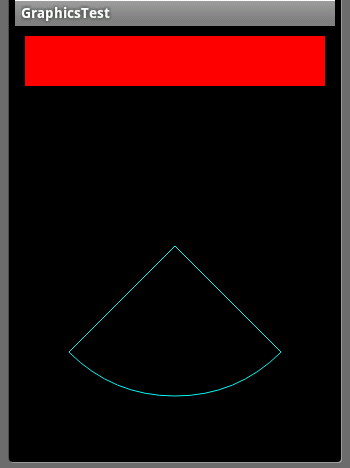
	    	ArcShape arc = new ArcShape(45,90); //start angle, sweep angle
	    	ShapeDrawable test = new ShapeDrawable(arc);

	    	Paint p = test.getPaint();
	    	p.setColor(0xFF00FFFF);

	        p.setStyle(Paint.Style.STROKE);

	    	test.setBounds(10, 70, 310, 370);
                //Top-Left, Bottom Right of rectangle to draw into
	    	test.draw(canvas);

	    }
    }
}
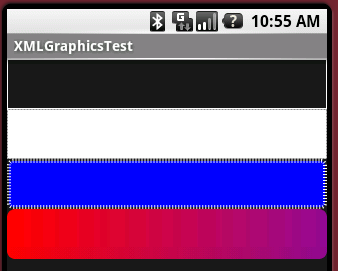
<?xml version="1.0" encoding="utf-8"?>

<ScrollView xmlns:android="http://schemas.android.com/apk/res/android"
    android:orientation="vertical"
    android:layout_width="fill_parent"
    android:layout_height="wrap_content"
    >
<LinearLayout
    android:orientation="vertical"
    android:layout_width="fill_parent"
    android:layout_height="wrap_content"
    >
<ImageView
    android:layout_width="fill_parent"
    android:layout_height="50dip"
    android:src="@drawable/shape_1"
    />

<ImageView
    android:layout_width="fill_parent"
    android:layout_height="50dip"
    android:src="@drawable/line"
    />

<ImageView
    android:layout_width="fill_parent"
    android:layout_height="50dip"
    android:src="@drawable/shape_2"
    />

<ImageView
    android:layout_width="fill_parent"
    android:layout_height="50dip"
    android:src="@drawable/shape_3"
    />
</LinearLayout>
</ScrollView>
Shape 1
-------
<?xml version="1.0" encoding="utf-8"?>

<shape xmlns:android="http://schemas.android.com/apk/res/android"
       type="oval"
     >
     <solid android:color="#00000000" />
     <padding android:left="10sp"
         android:right="10sp"
         android:top="4sp"
         android:bottom="4sp"
     />
     <stroke android:width="1dp" android:color="#FFFFFFFF" />
</shape>

Shape 2
-------
<?xml version="1.0" encoding="utf-8"?>

<shape xmlns:android="http://schemas.android.com/apk/res/android"
       type="oval"
     >
     <solid android:color="#FF0000FF" />
     <stroke android:width="4dp"
             android:dashWidth="1dp"
             android:dashGap="2dp"
             android:color="#FFFFFFFF" />

     <padding android:left="7sp"
         android:right="7sp"
         android:top="7sp"
         android:bottom="7sp"
     />
     <corners android:radius="4dp" />
</shape>

Shape 3
-------
<?xml version="1.0" encoding="utf-8"?>

<shape xmlns:android="http://schemas.android.com/apk/res/android"
       type="oval"
     >
     <gradient android:startColor="#FFFF0000"
               android:endColor="#88FF00FF"
     />

     <padding android:left="7sp"
         android:right="7sp"
         android:top="7sp"
         android:bottom="7sp"
     />
     <corners android:radius="8dp" />
</shape>

Line
----
<?xml version="1.0" encoding="utf-8"?>

<shape xmlns:android="http://schemas.android.com/apk/res/android"
       type="oval"
     >
     <solid android:color="#FFFFFFFF" />

      <stroke android:width="1dp" android:color="#FFFFFFFF"
            android:dashWidth="1dp"
             android:dashGap="2dp"
      />

     <size android:height="23dp" />
 </shape>
Which of the following statements is true:
<?xml version="1.0" encoding="utf-8"?>
<LinearLayout xmlns:android="http://schemas.android.com/apk/res/android"
    android:orientation="vertical"
    android:layout_width="fill_parent"
    android:layout_height="fill_parent"
    >
    <ImageView
    android:layout_width="wrap_content"
    android:layout_height="wrap_content"
    android:gravity="center"
    android:layout_centerHorizontal="true"
    android:id="@+id/my_anim"
    />
<TextView
    android:layout_width="fill_parent"
    android:layout_height="wrap_content"
    android:text="@string/hello"
    />
</LinearLayout>
<?xml version="1.0" encoding="utf-8"?>

<animation-list xmlns:android="http://schemas.android.com/apk/res/android"
       id="selected" android:oneshot="false"
     >
    <item android:drawable="@drawable/ball1" android:duration="50" />
    <item android:drawable="@drawable/ball2" android:duration="50" />
    <item android:drawable="@drawable/ball3" android:duration="50" />
    <item android:drawable="@drawable/ball4" android:duration="50" />
    <item android:drawable="@drawable/ball5" android:duration="50" />
    <item android:drawable="@drawable/ball6" android:duration="50" />
</animation-list>
package org.pollett;

import java.util.Timer;
import java.util.TimerTask;

import android.app.Activity;
import android.graphics.drawable.AnimationDrawable;
import android.os.Bundle;
import android.util.Log;
import android.widget.ImageView;

public class AnimationTest extends Activity {
	@Override
	   public void onCreate (Bundle icicle)
	   {
	      super.onCreate(icicle);
	      setContentView(R.layout.main);
	      ImageView img = (ImageView)findViewById(R.id.my_anim);
	      img.setBackgroundResource(R.anim.my_animation);
	      MyAnimationRoutine mar = new MyAnimationRoutine();
	      MyAnimationRoutine2 mar2 = new MyAnimationRoutine2();

	      Timer t = new Timer(false);
	      t.schedule(mar, 100);
	      Timer t2 = new Timer(false);
	      t2.schedule(mar2, 5000);

	   }


	   class MyAnimationRoutine extends TimerTask
	   {
	      @Override
	      public void run()
	      {
	    	  Log.i("AnimationTest","hello");
	         ImageView img = (ImageView) findViewById(R.id.my_anim);
	         AnimationDrawable frameAnimation = (AnimationDrawable)
	            img.getBackground();
	         frameAnimation.start();
	      }
	   }

	   class MyAnimationRoutine2 extends TimerTask
	   {
	      @Override
	      public void run()
	      {
	         ImageView img = (ImageView) findViewById(R.id.my_anim);
	         AnimationDrawable frameAnimation = (AnimationDrawable)
	            img.getBackground();
	         frameAnimation.stop();
	      }
	   }
}